
01 · Connect
Open Projector Show, connect your projector as a display, and set the output resolution.
Create a Halloween, Christmas, house, stage, or event show that looks professionally produced—without weeks of tutorials, complicated node graphs, or an expensive software stack. Projector Show puts mapping, effects, content, and playback into one guided workflow.
No download · No credit card to start · Runs in your browser
Real projection-mapping show reel. Use the player controls to watch.
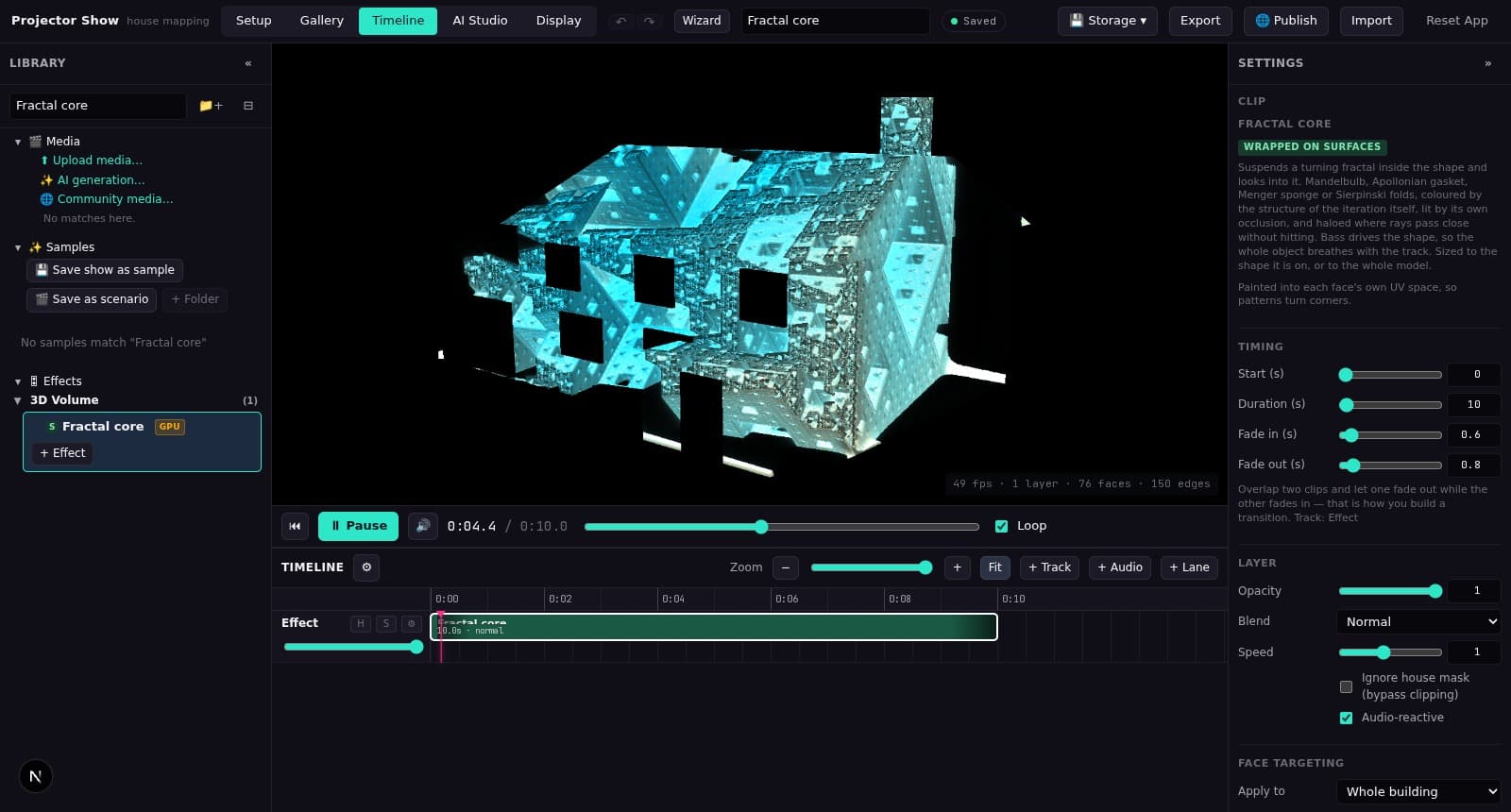
Traditional workflows can mean creating content in one application, building effects in another, and mapping and playing the show in a third. Projector Show brings the workflow most house, holiday, and small-event creators need into one place.
Open Projector Show, connect your projector as a display, and set the output resolution.
Build or trace your house, room, stage, or object; set the projector view; then align the frame.
Load a sample or add effects and your own media, arrange the timeline, and open the clean projector window.
Helpful starting points handle repeat work. The underlying controls stay available when the real surface needs a careful adjustment.
Load a sample house and show instead of rebuilding every detail from scratch.
Replace the model, timing, and effects whenever you are ready.
Use the photo-solving and face-tracing workflow to turn a facade reference into projection surfaces.
Fine-tune the camera, working planes, and dimensions underneath.
Projector position, lens settings, corner pin, and grading are saved with your show.
Adjust every setting again when the projector or surface changes.
Open a synchronized, controls-free output while the timeline stays on your laptop.
Move the window to your projector and take it fullscreen.
You do not need to master every tool before making your first cue. As your show grows, the detailed modeling, alignment, effect, audio, and timeline controls grow with it.
Build walls, roofs, doors, and windows, then align the final frame with four-corner correction.
Arrange effects and your own media on a multi-track timeline with fades, speed, opacity, and blend controls.
Choose built-in facade, edge, particle, weather, audio-reactive, and 3D effects, then customize their look.
Use edge feathering and live preview controls for practical multi-projector overlap adjustments.
Add video, images, and audio alongside the built-in effect library.
Keep projects locally, sync cloud workspaces with an account, export a project file, or publish a show to the community.
Turn windows, doors, walls, and rooflines into a one-of-a-kind Halloween or Christmas show. Create something neighbors stop to watch, film, share, and come back to see—without spending your entire season learning production software.
For many house, holiday, and small-event projection shows, Projector Show replaces a complicated multi-tool workflow with one guided browser-based workspace. Motion-graphics specialists may still create custom content in After Effects; highly interactive systems may be better suited to TouchDesigner; and established touring workflows may need MadMapper's specialized integrations.
Read the honest projection mapping software comparison →Use the designer, local projects, cloud saving, and community publishing for free. Premium is $9/month and unlocks premium effects and show templates; selected premium items can also be purchased individually.
Projection mapping fits moving visuals to a real surface—such as a house, wall, stage set, or object—instead of projecting an ordinary rectangle.
Open the browser-based designer and turn your first idea into a mapped show.
Create Your First Show FreeNothing to download or install — it all runs in the browser. Your first show is free.